Simple AI assistant for small business
Documents, old software and daily office work handled by one easy assistant.
AAIA starts with one clearly defined workflow on the office machine, understands documents and can be configured for the software already in use.
- Fixed-scope pilot
- Local execution
- Human approval
- Measured results
- Greek
- English
How it works
Start in three steps.
No platform migration. No long setup. Start with the one task that already costs the most time.
Describe one task
Send a document, screenshot or short description of what someone does manually every day — invoices, spreadsheets, email, old software screen.
Approve the plan
AAIA suggests the simplest automation and shows the generated steps before anything runs. You approve, correct or reject it.
Review, approve and act
The AAIA Local Worker executes on your machine. Review extracted fields, approve the result and act in one click — open a pre-filled Gmail draft, create an EspoCRM record or continue the workflow. Every execution is logged in the Control Tower and Value Dashboard.
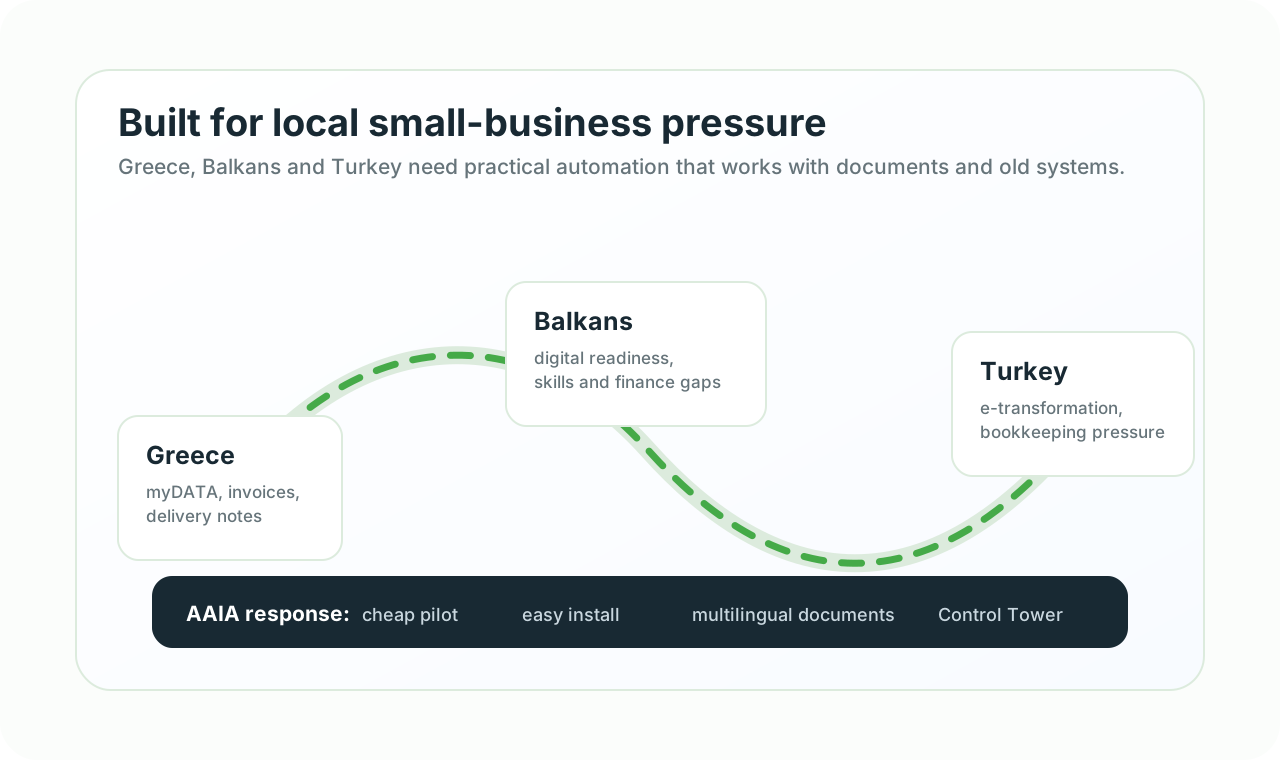
Based in Diavata, serving Western Thessaloniki
Built around the paperwork and systems used by local small businesses.
Logistics and warehousing
Delivery notes, shipping documents, email attachments, portal updates and repeated data entry.
Wholesale and manufacturing
Orders, supplier documents, stock files, price lists and older ERP workflows.
Accounting and administration
Invoice intake, checks, reconciliation preparation, document filing and customer follow-up.
E-commerce operations
Shop, ERP, stock, courier, customer and reporting information that must remain aligned.
Fixed-scope first pilot
A small, controlled engagement to prove whether the workflow is worth automating.
One workflow
One repetitive task with a defined input, expected result and responsible user.
Representative samples
Up to three suitable, non-sensitive examples or anonymized copies for assessment and testing.
Dry run and approval
The first version runs with human review before any sensitive downstream action.
Acceptance and measurement
We agree what success means and compare time, exceptions and manual steps before expansion.
Written scope and quote
After the initial assessment, implementation begins only after the customer receives and accepts the defined scope and commercial quote.
Technical demonstration
A verified sample run shows the review loop working end to end.
End-to-end dry run
A sample invoice travelled from the Control Tower to a real Windows worker and returned for human review.
17 extracted fields
The workflow produced structured invoice fields for review instead of asking the user to retype the document.
14 validation findings
The sample intentionally lacked or conflicted with required data. The workflow detected the issues and stopped for approval.
About 4.4 seconds
The measured worker execution time for this controlled sample run was approximately 4.4 seconds.
These are controlled test results, not customer production results or a guaranteed benchmark. Real performance depends on document quality, machine resources, systems and workflow scope.
What we offer
One assistant between documents and the systems selected for the workflow.
The business does not need to replace everything first. We assess the workflow, choose the safest connection method and configure the assistant around the tools already in place.
Documents
Invoices, scans, PDFs, orders, emails, spreadsheets.
Understanding
Extract fields, detect language, validate values, ask for approval.
Execution
Update ERP, terminal software, browser portals, Excel and desktop apps.
Small office examples
Concrete use cases make the assistant easier to understand.
Each example can begin as a fixed-scope pilot: one document, one system and one measurable result.
Accounting office
Before: Supplier invoices arrive as PDFs and scans.
With AAIA: AAIA reads VAT, totals and supplier data, then prepares the ERP entry for approval.
Trading office
Before: Orders arrive by email in Greek, English or regional supplier formats.
With AAIA: AAIA extracts items, checks stock or price files and prepares the order record.
Logistics desk
Before: Shipping papers, delivery notes and portal updates repeat every day.
With AAIA: AAIA reads the document, updates the portal or desktop system and records exceptions.
Owner dashboard
Before: The owner needs to know whether automation actually saves time.
With AAIA: AAIA collects processed documents, manual steps removed, exceptions and time saved.
Intent-based UX
What are you trying to fix?
Choose the problem closest to your workflow. The assistant can start from invoices, PDFs, scans, emails, spreadsheets, screenshots or a short screen recording.
Document understanding
Problem: Invoices, orders, shipping papers, bank PDFs and scanned forms arrive in different languages and formats.
Next step: The assistant extracts the useful fields, checks them, asks for approval when needed and sends the data to the right system.
Old desktop or terminal software
Problem: The business still depends on older Windows programs, terminal screens or applications with no modern API.
Next step: After a compatibility assessment, the local worker can be configured to read, type, click and verify the required result.
Multilingual operations
Problem: Suppliers, customers and documents in different languages create translation and data-entry delays.
Next step: Greek and English are supported first. Additional regional languages and terminology are assessed for the specific workflow.
ERP, stock and orders
Problem: Orders, customers, products, prices and stock need to move between shop, ERP, Excel and back-office tools.
Next step: Start with a simple sync or assistant workflow, then add stronger integrations where the business needs them.
Email to action
Problem: Important requests hide inside emails and attachments, then somebody copies them into another system.
Next step: The assistant reads the message and attachment, prepares the entry and keeps evidence of what happened.
Repeated office work
Problem: Teams repeat exports, imports, checks and copy-paste tasks across browser, Excel, ERP and email every day.
Next step: Capture the workflow, approve the automation and let a local digital worker execute it with logs.
How the assistant works
A practical AI assistant for small companies starts from the real workflow, not from a complex platform rollout.
Controlled first step
Choose one workflow with a clear input, result and approval rule: invoice intake, order preparation or email handling.
Works with what you have
AAIA uses browser, Excel, ERP, CRM, POS, email, files and legacy desktop software before any platform replacement.
Control plus value
The Control Tower shows executions and approvals. The Value Dashboard shows time saved, exceptions and next opportunities.
Product details
Understand the assistant and the value dashboard.
AuxinVas AI Assistant
See how AAIA is installed, what it can operate and why it is easy to start.
Explore AAIAROI and Value Dashboard
See how executions become value data, analytics and management visibility.
View dashboard valueSafety and operating model
Automation should remain controlled, explainable and supportable.
Local-first data
Detailed customer files and workflow evidence remain on the local worker by default. Only required operational status is sent centrally.
Approval before action
Sensitive steps can stop for review. The user can approve, correct or reject the proposed result.
Visible operation
Executions, failures, approvals and worker health are recorded so support does not depend on guesswork.
Scoped access and recovery
Each workflow receives only the folders, systems and credentials it needs, with documented support and recovery steps.
Practical questions
Clear boundaries before the first workflow starts.
Must we replace our existing software?
No. The first assessment looks for a safe file, API, browser or desktop connection to the tools already used.
Does it work with every application?
Not automatically. Documents and standard data workflows are the strongest starting point. Desktop, portal and terminal work is confirmed after compatibility testing.
What happens if the internet is unavailable?
The exact behavior is defined per workflow. Local processing may continue where safe; central dispatch, monitoring or external services wait for connectivity.
How do we start?
Email one non-sensitive example or describe the repeated task, software involved, desired result and steps that must require approval.
Next step