AuxinVas AI Assistant
A controlled assistant for documents, office work and compatible legacy systems.
AAIA is designed for small businesses that need measurable value: understand documents, prepare or execute approved actions and keep evidence without replacing the whole platform.
Why AAIA
The approach is narrow, measurable and governed: define the scope, prove value and expand carefully.
Defined first scope
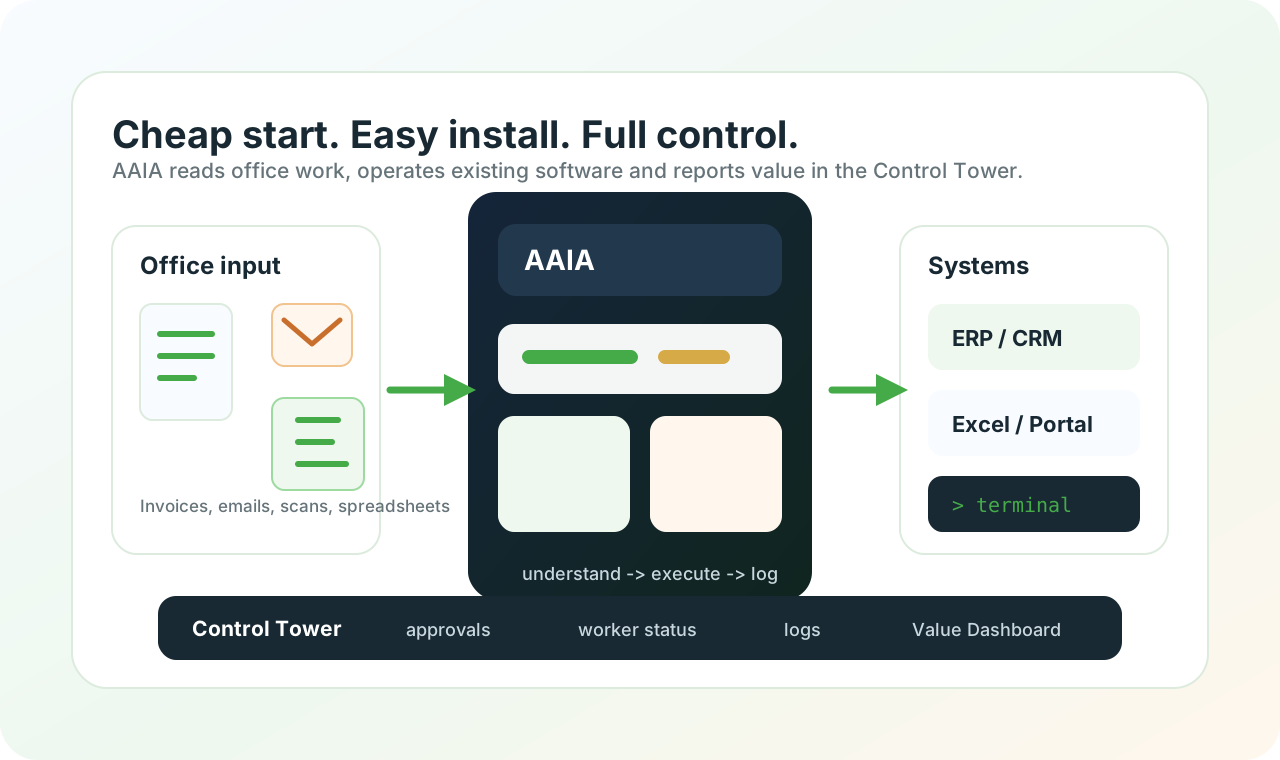
Begin with one workflow, one local worker and clear limits. No heavy platform migration is required before value appears.
Easy to install
The local worker runs on a Windows machine or robot workstation and works with software the business already has.
Document Understanding
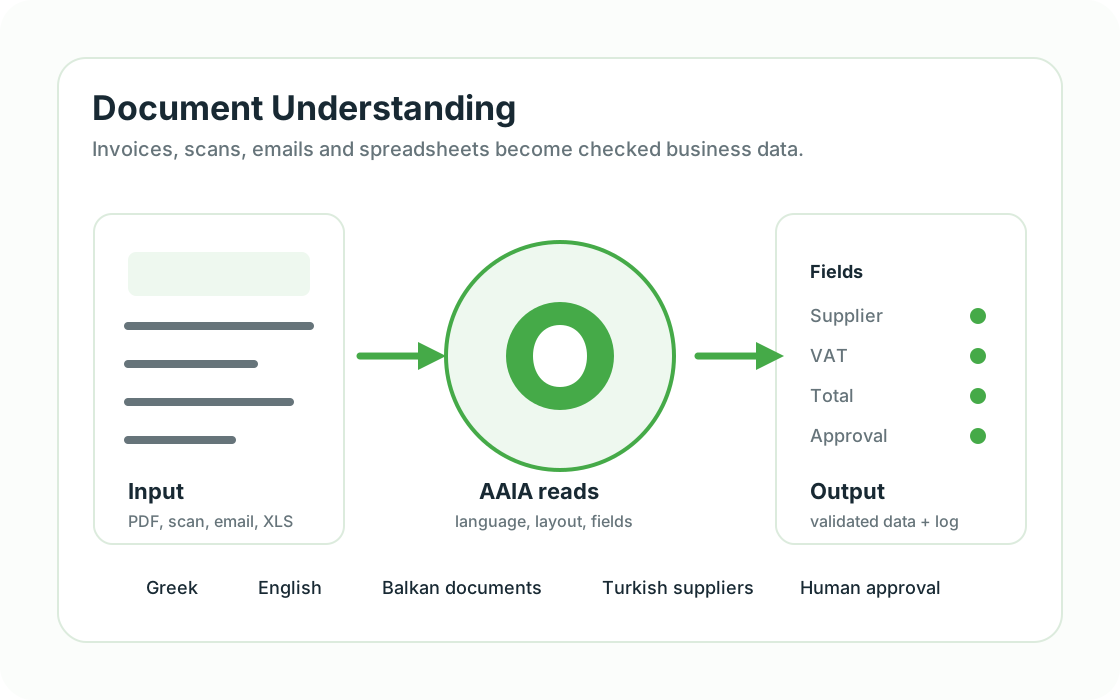
AAIA reads invoices, PDFs, scans, emails, forms and spreadsheets, then extracts the fields needed for operations.
Selected desktop systems
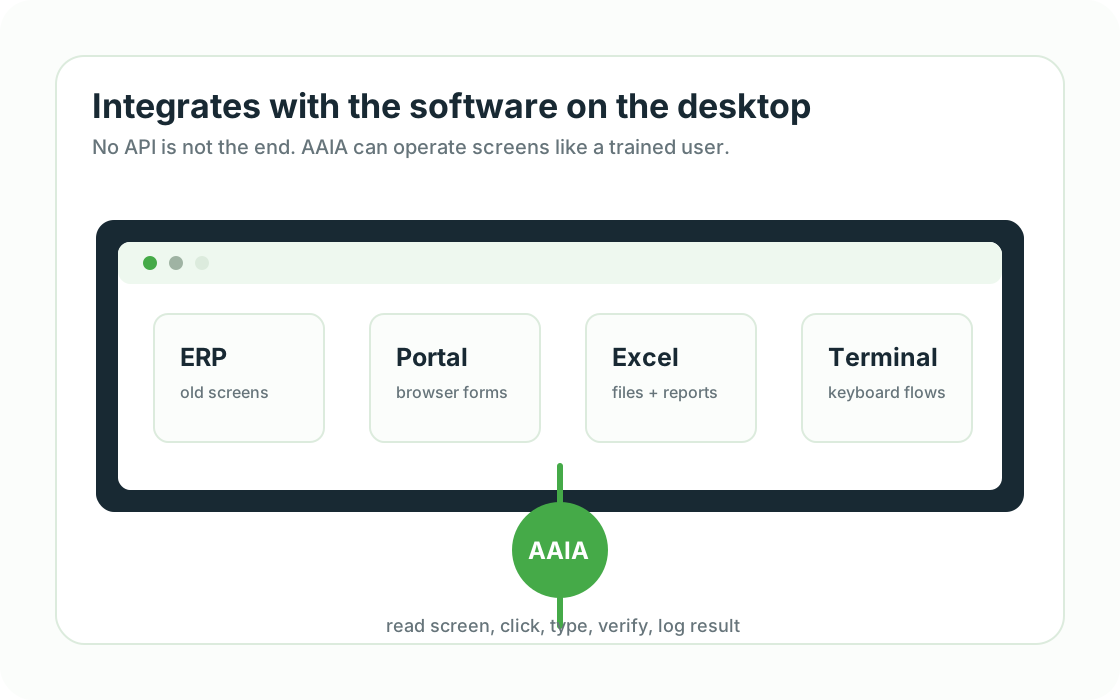
After assessment and testing, AAIA can be configured for suitable ERP screens, terminals, portals, Excel, CRM, POS and local files.
Approve and act in one click
Sensitive steps pause for review. Approve an email draft and it opens in Gmail pre-filled, ready to send. Approve an invoice and an EspoCRM record is created. No copy-paste.
Execution history
Every useful workflow should produce logs, outcomes, exceptions and value data for later review.
Small office examples
Concrete use cases make the assistant easier to understand.
Each example can begin as a fixed-scope pilot: one document, one system and one measurable result.
Accounting office
Before: Supplier invoices arrive as PDFs and scans.
With AAIA: AAIA reads VAT, totals and supplier data, then prepares the ERP entry for approval.
Trading office
Before: Orders arrive by email in Greek, English or regional supplier formats.
With AAIA: AAIA extracts items, checks stock or price files and prepares the order record.
Logistics desk
Before: Shipping papers, delivery notes and portal updates repeat every day.
With AAIA: AAIA reads the document, updates the portal or desktop system and records exceptions.
Owner dashboard
Before: The owner needs to know whether automation actually saves time.
With AAIA: AAIA collects processed documents, manual steps removed, exceptions and time saved.
Fixed-scope first pilot
A small, controlled engagement to prove whether the workflow is worth automating.
One workflow
One repetitive task with a defined input, expected result and responsible user.
Representative samples
Up to three suitable, non-sensitive examples or anonymized copies for assessment and testing.
Dry run and approval
The first version runs with human review before any sensitive downstream action.
Acceptance and measurement
We agree what success means and compare time, exceptions and manual steps before expansion.
Written scope and quote
After the initial assessment, implementation begins only after the customer receives and accepts the defined scope and commercial quote.
Technical demonstration
A verified sample run shows the review loop working end to end.
End-to-end dry run
A sample invoice travelled from the Control Tower to a real Windows worker and returned for human review.
17 extracted fields
The workflow produced structured invoice fields for review instead of asking the user to retype the document.
14 validation findings
The sample intentionally lacked or conflicted with required data. The workflow detected the issues and stopped for approval.
About 4.4 seconds
The measured worker execution time for this controlled sample run was approximately 4.4 seconds.
These are controlled test results, not customer production results or a guaranteed benchmark. Real performance depends on document quality, machine resources, systems and workflow scope.
Safety and operating model
Automation should remain controlled, explainable and supportable.
Local-first data
Detailed customer files and workflow evidence remain on the local worker by default. Only required operational status is sent centrally.
Approval before action
Sensitive steps can stop for review. The user can approve, correct or reject the proposed result.
Visible operation
Executions, failures, approvals and worker health are recorded so support does not depend on guesswork.
Scoped access and recovery
Each workflow receives only the folders, systems and credentials it needs, with documented support and recovery steps.
Product details
Understand the assistant and the value dashboard.
AuxinVas AI Assistant
See how AAIA is installed, what it can operate and why it is easy to start.
Explore AAIAROI and Value Dashboard
See how executions become value data, analytics and management visibility.
View dashboard valueNext step