AuxinVas AI Assistant
The cheap, easy assistant for documents, desktop work and legacy systems.
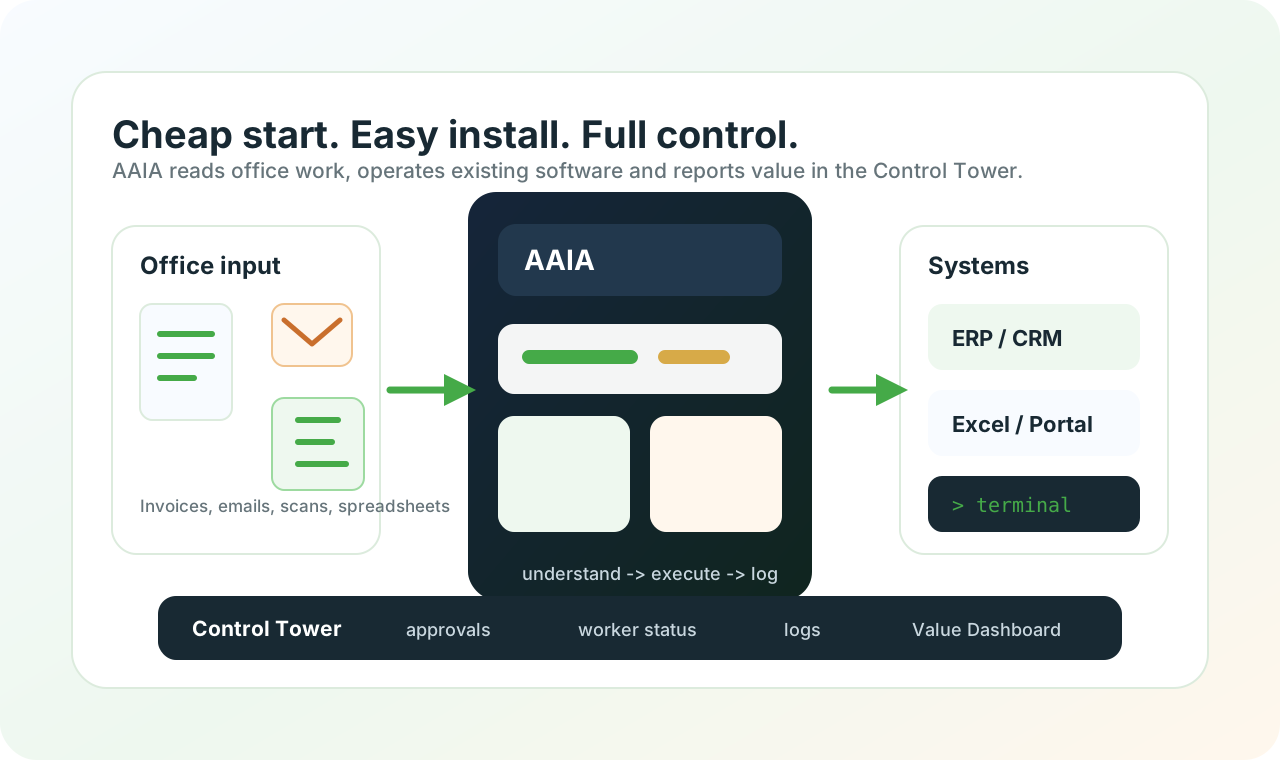
AAIA is designed for small businesses that need value quickly: understand documents, operate existing software and show evidence without a large replacement project.
Why AAIA
The professional 2026 approach is narrow, measurable and governed: start cheap, prove value, expand carefully.
Cheap to start
Begin with one workflow, one local worker and clear limits. No heavy platform migration is required before value appears.
Easy to install
The local worker runs on a Windows machine or robot workstation and works with software the business already has.
Document Understanding
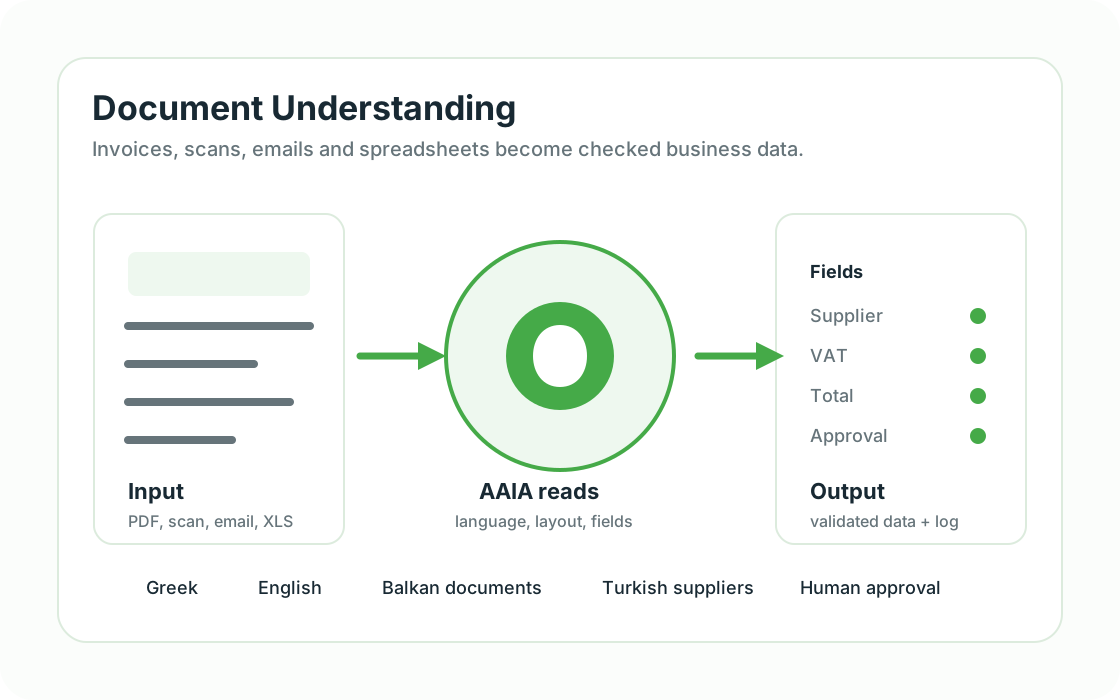
AAIA reads invoices, PDFs, scans, emails, forms and spreadsheets, then extracts the fields needed for operations.
Any desktop software
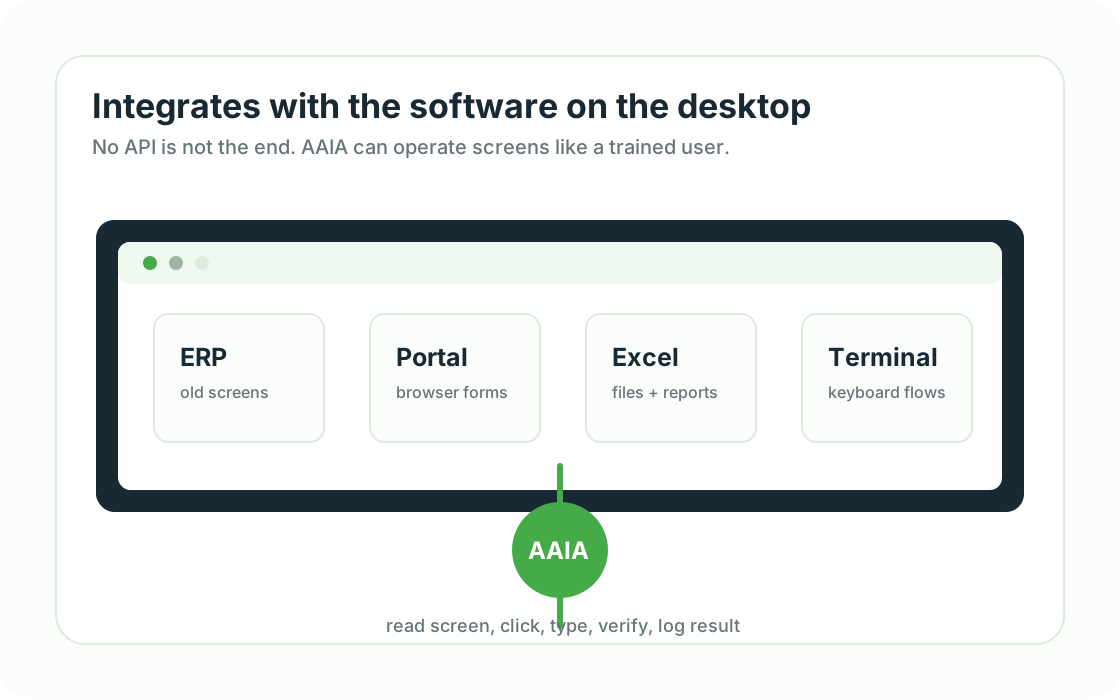
AAIA can interact with old ERP screens, terminal software, browser portals, Excel, CRM, POS and local files.
Human approval where needed
Sensitive steps can pause for review before the assistant updates records or sends data forward.
Execution history
Every useful workflow should produce logs, outcomes, exceptions and value data for later review.
Small office examples
Concrete use cases make the assistant easier to understand.
Each example can start as a cheap pilot: one document, one screen, one measurable result in the Value Dashboard.
Accounting office
Before: Supplier invoices arrive as PDFs and scans.
With AAIA: AAIA reads VAT, totals and supplier data, then prepares the ERP entry for approval.
Trading office
Before: Orders arrive by email in Greek, English or regional supplier formats.
With AAIA: AAIA extracts items, checks stock or price files and prepares the order record.
Logistics desk
Before: Shipping papers, delivery notes and portal updates repeat every day.
With AAIA: AAIA reads the document, updates the portal or desktop system and records exceptions.
Owner dashboard
Before: The owner needs to know whether automation actually saves time.
With AAIA: AAIA collects processed documents, manual steps removed, exceptions and time saved.
Product details
Understand the assistant and the value dashboard.
AuxinVas AI Assistant
See how AAIA is installed, what it can operate and why it is easy to start.
Explore AAIAROI and Value Dashboard
See how executions become value data, analytics and management visibility.
View dashboard valueNext step